Finally file the photos you keep meaning to.
TAG Lens keywords, rates, and culls your Apple Photos library at keyboard speed — so Photos search actually finds them. Not a second catalog, not a photo editor: everything writes into the library you already have.
Join the free beta on TestFlightOpen beta — macOS 14 or later plus the free TestFlight app. A new build ships daily; the journal keeps the score, and the discussion board is where the conversation happens. Coming to the Mac App Store at launch.
Culling, rating, and favorites are free forever; one payment unlocks unlimited keywording. No subscription.
First question covered: exactly what TAG Lens writes to your library, and what its optional features send — the complete inventory, kept honest against the code.
rate 0–5reject xkeyword, title, captionadvancerepeat until zero
- Your real library Keywords, titles, captions, favorites, albums, capture dates, and locations write straight into Apple Photos, where every other app can read them — and they stay if you delete TAG Lens.
- Nothing uploaded 100% offline by default. Optional lookups are off until you turn them on, and each sends only the text it names — never your photos.
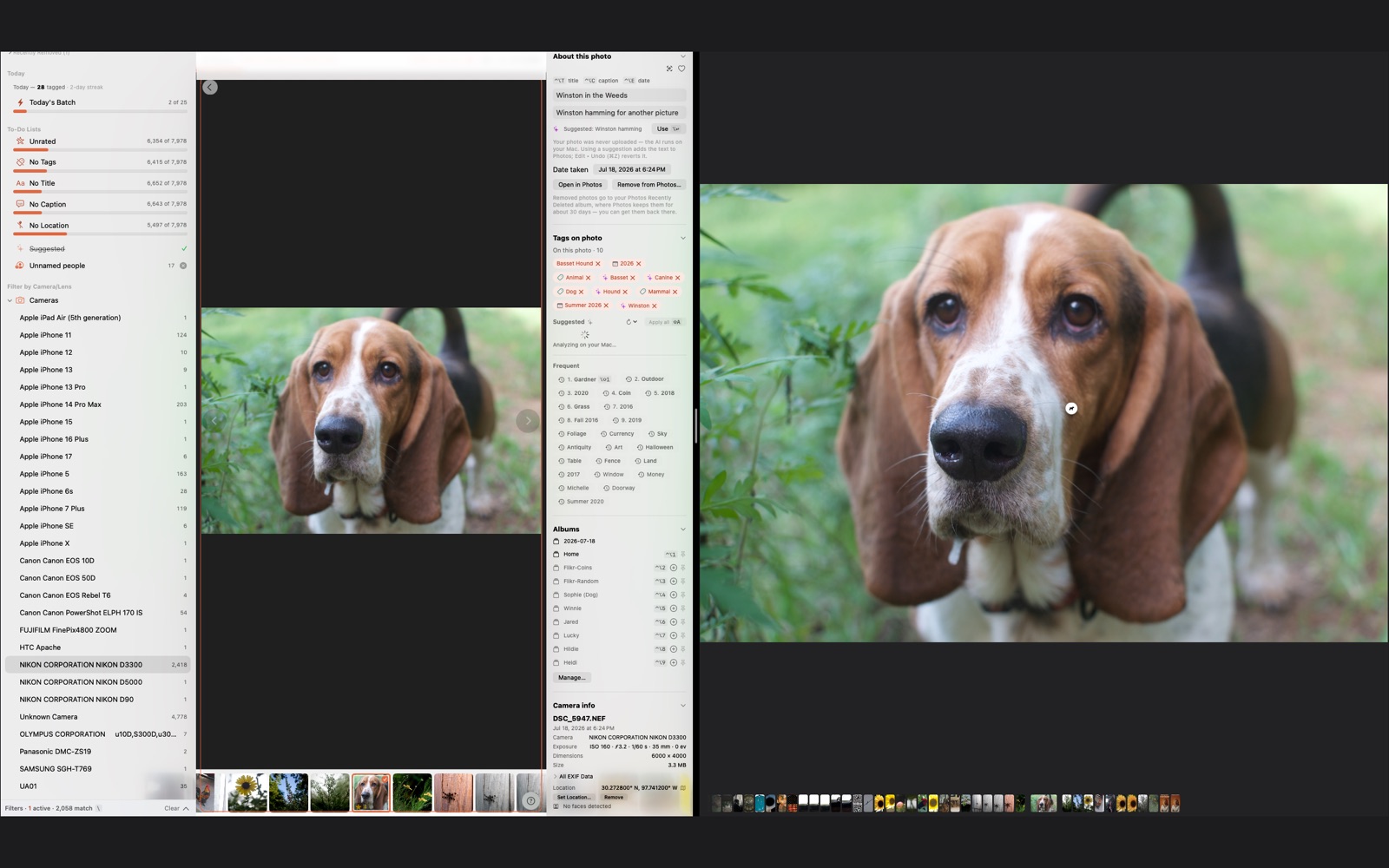
- One key per photo Rate 0–5, reject with x, accept a suggestion, advance. Self-emptying worklists turn the backlog into a punch-list you can finish.
- Built to be reversed ⌘Z undoes every metadata write. Deleting rejects goes through the standard macOS confirmation into Photos’ own Recently Deleted, recoverable for about 30 days.
- Your library, handed back Library Analysis lays out which cameras and lenses you actually reach for and where your apertures and ISOs really cluster — pure counts over your own EXIF, no AI opinion, kept out of the tagging loop.
- Teach it your field Import a taxonomy pack — your terms and their broader words — and they suggest like the built-ins. A plankton biologist hands a colleague their plankton pack and it drops right in; it all stays on your Mac.
Honest about your film
Scanned a roll? Every frame gets a Shot on line you assert — “Canon AE-1 · Tri-X 400” — shown in the inspector, never forged into the file’s EXIF. And TAG Lens catches the lie your scanner tells: when the camera field reads Perfection, CanoScan, or Noritsu, it calls the frame a Scanner, treats the file date as a scan date, and offers to repair the whole roll to the year you actually shot it. Photos, Lightroom keywords, and Photo Mechanic can’t do that for a negative — they leave it blank or let the scanner’s lie stand.
Why this exists
Nobody spends an evening filing six thousand photos to keep a database tidy. You do it because of who’s in them — so you can find the one picture of someone, years from now, instead of losing it in a pile you’ll never scroll to the bottom of.
So a caption here is a thing a person wrote, not a field to overwrite. Write a memory under a photo and TAG Lens keeps your words exactly — never silently written over, every change back on ⌘Z, and the words ride inside the file itself, so they’re still there the day you walk away from this app. The speed up top gets you through the pile. This is why the pile is worth getting through.
Yours, not rented
Because tagging your own photographs shouldn't come with rent. The tools that do this well arrive with paid baggage — a subscription here, a cloud catalog there, and one day your twenty years of keywords live in someone else's database with a monthly invoice stapled to them. Walk away and the work stays behind.
Meanwhile Apple Photos — the library you already have — can hold keywords, titles, and captions just fine. It always could. It just never made entering them fast, so nobody does. That's the whole gap TAG Lens fills: the speed of a professional tagger, writing into open fields in your own library. Apple can tag. Why not use it?
And those keywords travel. Export a photo and they ride along inside the file — upload to Flickr and they arrive as tags, automatically. Tag once, keep it forever, owe nobody a monthly anything.
What it writes — and what it never touches
TAG Lens edits metadata, never pixels. It writes keywords, titles, captions, favorites, album membership, capture dates, and locations into your Photos library — only what you type or approve, nothing automatic. Star ratings and reject marks live in an app-local file (Photos has no rating API) with one-click JSON backup.
Requirements
macOS 14 or later, with your Apple Photos library.